Combat Is Growing Up, Inventory Is Next
Cube Dev: Combat Is Growing Up, Inventory Is Next
Combat keeps getting a little more complete.
If you have the ability, you can now cast your spells during combat. Healing and mana potions can also be used directly from your backpack, so combat finally has a little more flexibility than simply trading hits until somebody falls over.
Items can also have multiple effects now.
So instead of every consumable doing exactly one thing, I can have something like a potion that restores health and replenishes mana at the same time. That opens up quite a few more possibilities for items later on without needing to build a special system for every variation.
Smoke bombs are working too. If you have one in your inventory, you can consume it during combat for an easy escape.
I also updated the victory and defeat screens, so that whole part of combat is starting to feel much more finished.
Next Up: Inventory
And now we get to the next big system.
Inventory.
This has taken a lot longer to design than I expected.
On a normal game screen, inventory is easy enough. You have a list or grid of items, equipment slots somewhere nearby, and you click or drag things around.
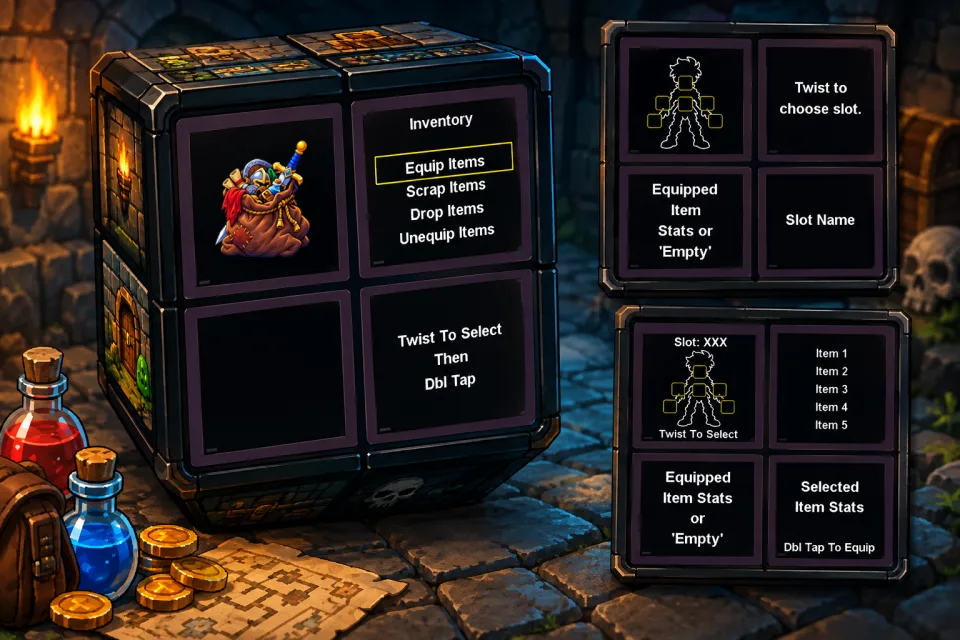
On the cube, I need to figure out how to do all of that using four separate facelets, twists, taps, and as little menu depth as possible.
I think I've finally landed on a design that can handle everything I need.
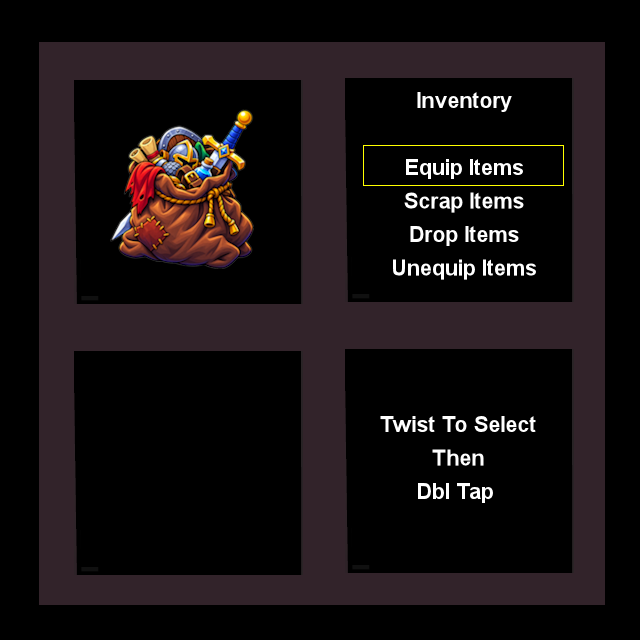
The main inventory screen gives me the basic actions: equip items, scrap items, drop items, or unequip something that's already equipped.
The idea is to keep the first step simple. Twist to move through the options, then double-tap to select.
From there, equipping an item becomes its own small flow.
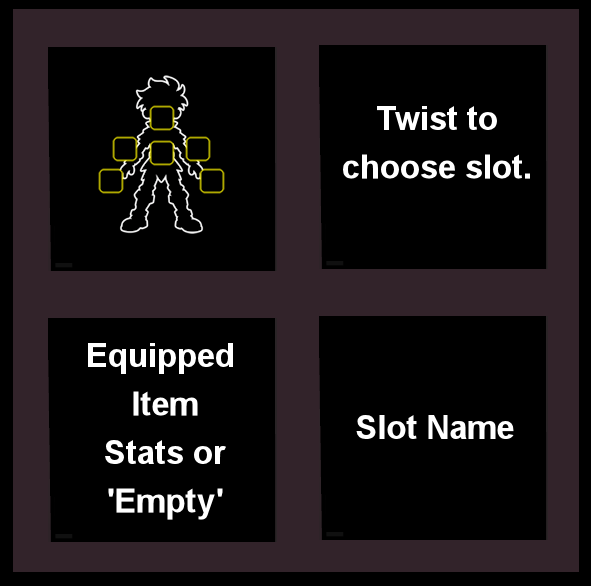
First, you choose the equipment slot you want to work with. One facelet shows the character and available slots, another tells you what you're selecting, and the lower facelets can show the currently equipped item and its stats.
Once a slot is selected, the cube can move on to comparing actual items.
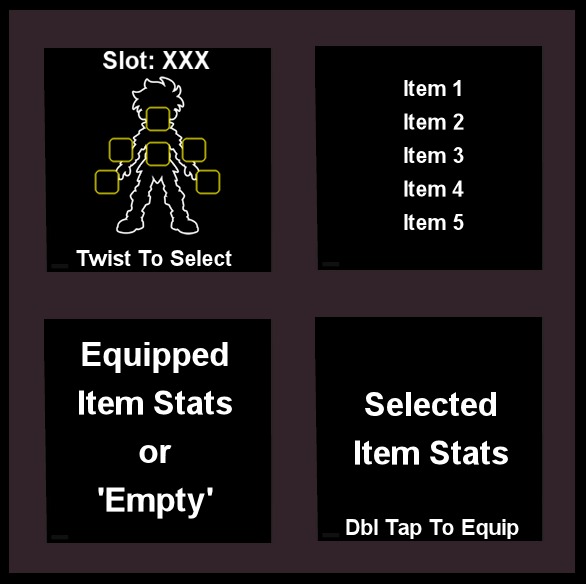
Here, one facelet shows the slot you're working with, another contains the list of compatible items, and the bottom two facelets give you a direct comparison between what is currently equipped and what you're considering.
Then it's just a double-tap to equip.
At least, that's the plan.
The goal is to make inventory feel like it belongs on the cube instead of forcing a traditional menu onto hardware that really wasn't designed for one.
Designing it has been the hard part.
Now comes the other hard part:
Actually implementing it.

Comments
No comments yet. Say something!